
Engineering Tools

Search, Analyze and Spec Timken Bearings Faster.

A free suite of online tools built for design engineers, engineering leadership, bearing engineers and OEM teams working on new equipment or refining existing machine designs.
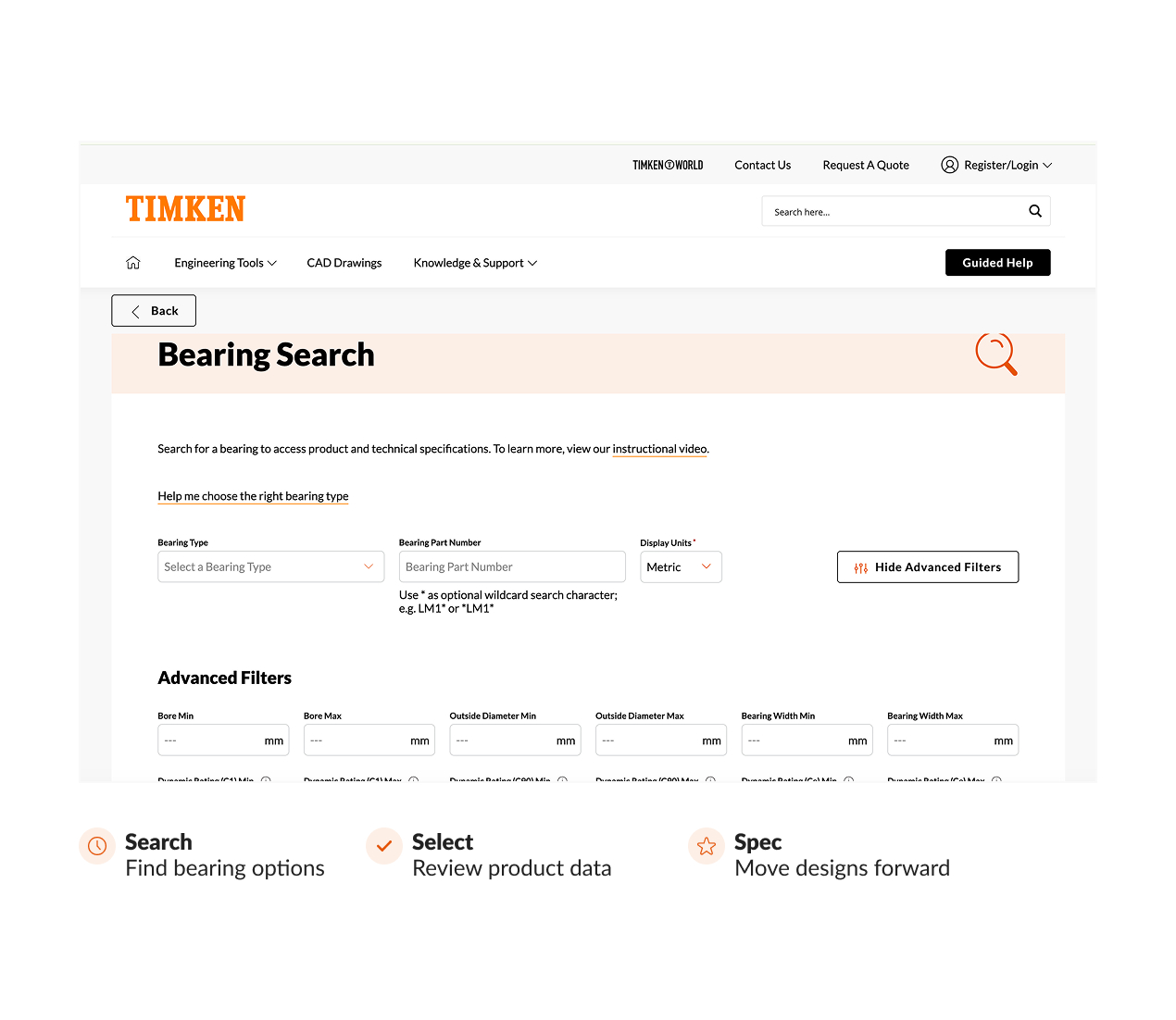
  • Bearing Search is the most-used tool for quickly finding bearing options and reviewing technical product data.
  • FREE tools help users search, research, analyze and select bearings with confidence.
  • Registered users unlock a more personalized workspace with the ability to save projects and visualize product availability. These users also have access to advanced tools like Timken® Syber® Bearing System Designer.

Register for More

Enjoy a more personalized experience when you register.

Register

Bearing Search Benefits

The Fastest Path to Value for Specifiers and Design Engineers.

With Bearing Search, you can quickly identify options, compare bearing types and access technical specifications. 

  • Quickly find cylindrical, spherical, tapered and ball bearing options for your application. 
  • Review product and technical data without leaving the engineering workflow.
  • Use it as the starting point before deeper calculations, dashboard saving or Syber-based analysis.

Why Register?

Enjoy a More Personalized Experience with a Timken Online Account.

  • Free to Register
    No purchase barrier. Registration simply unlocks more value for engineers who want to save work, return to projects and go deeper with analysis.
  • More Relevant Connections
    Receive updates on new products, events and how to best connect with Timken and your local authorized distributor. 
  • Advanced Analytical Access
    Open the door to higher-value tools like Timken® Syber® Bearing System Designer and a dashboard built for ongoing engineering work.

Why Register?

  • Gain access to advanced tools like Timken® Syber® Bearing System Designer where you can select and analyze bearings within an application. 
  • Use a customizable dashboard so you can save your work and connect with Timken engineers for help.
  • Create projects where you can group saved bearings, documents and reports for future reference.

Engineering Tools

Key Tools for Your Next Design Project

Timken offers a full complement of easy-to-use engineering tools to support your design needs.

Bearing Search

Search, select and access product data for all bearing types.

Link Text

Timken® Syber® Bearing System Designer

Analyze a complete bearing system for advanced design work.

Link Text

Grease Lubrication Calculator

Determine initial grease fill amounts and relubrication frequency to support efficient maintenance planning.

Link Text

Bearing Fitting Practice

Determine the suggested fits for bearing inner and outer rings.

Link Text

Bearing Clearance Calculations

Estimate changes in internal clearance based on fit and temperature conditions to reduce guesswork early in design.

Link Text

CAD Drawings & Support

Explore bearing specifications, downloadable CAD models, and application‑ready resources.

Link Text

My Dashboard

Seamlessly connect engineering workflows
across multiple sessions

Within your own personalized dashboard you can create project folders and save products, reports, and other documents for easy, quick access. 

Save Bearings

Keep shortlisted options in one place while refining a design.

Link Text

Save Calculations
& Reports

Return to analysis work without starting over.

Link Text

Save Literature & Catalogs

Group technical references with project work for future use.

Link Text

Save Local Contacts

Keep your Timken sales office and distributor information close at hand.

Link Text

Create Projects

Organize multiple bearings, seals, grease references, documents and reports for ongoing application work.

Link Text

Share Your Work

Send the work you’ve done with other colleagues for input.

Link Text

Knowledge & Support

Trusted Engineering Expertise

From help guides to CAD drawings, additional resources are available 
to help you design with confidence. 
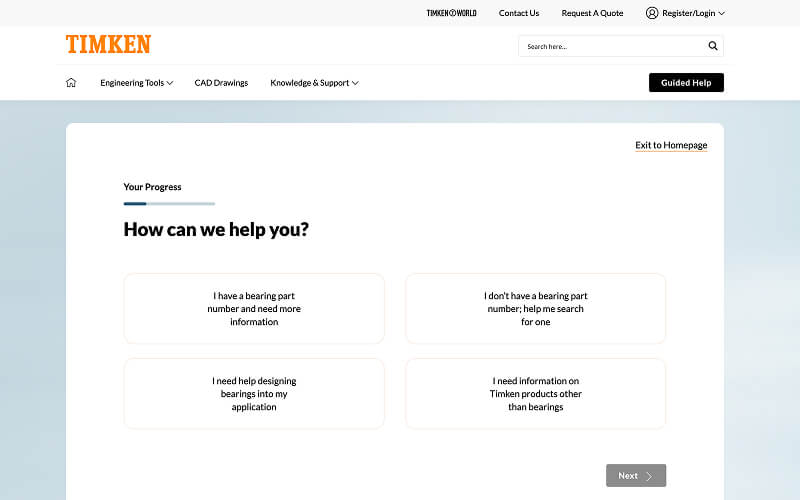
Guided Help

This interactive support feature helps users quickly find what they’re looking for through a set of clarifying questions.

Access Guided Help
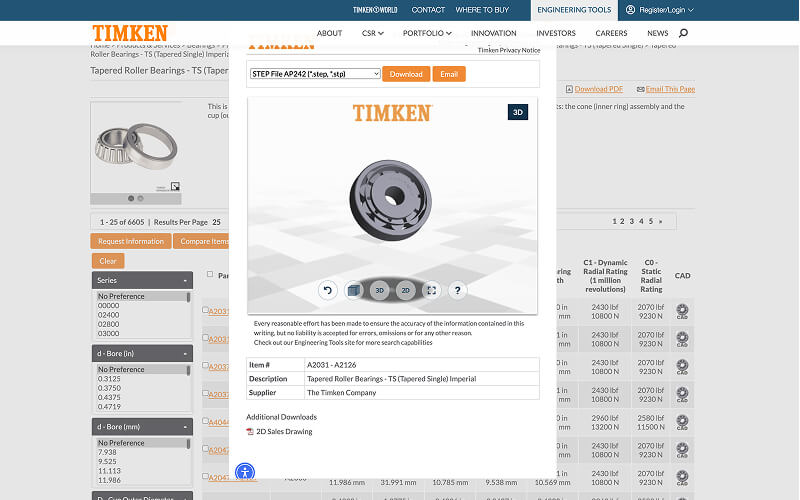
Save design time and ensure accuracy with downloadable Timken® CAD models.

Support the transition from selection to design execution by linking out to Timken’s CAD environment.

Open CAD Drawings
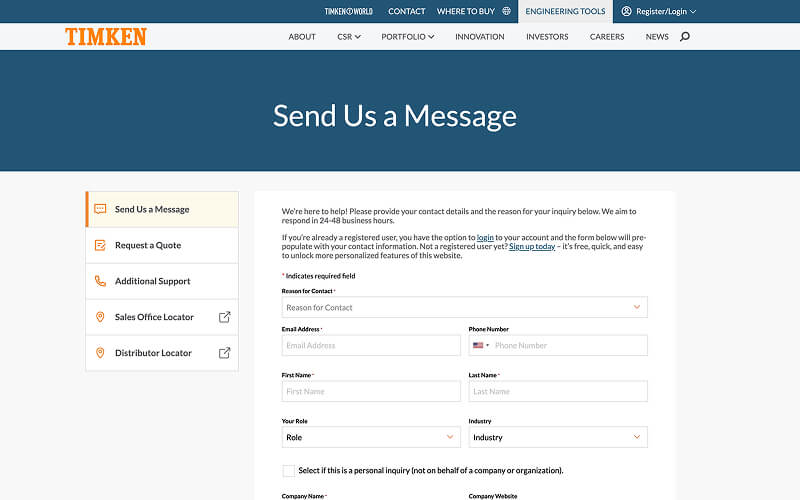
Ready to talk to a Timken engineer? 

Contact us today for additional support. 

Contact Timken